
Defend my Ring Farm Controls
Shop is on the left. Codes hide at the bottom. Waves do not pause for a roll.
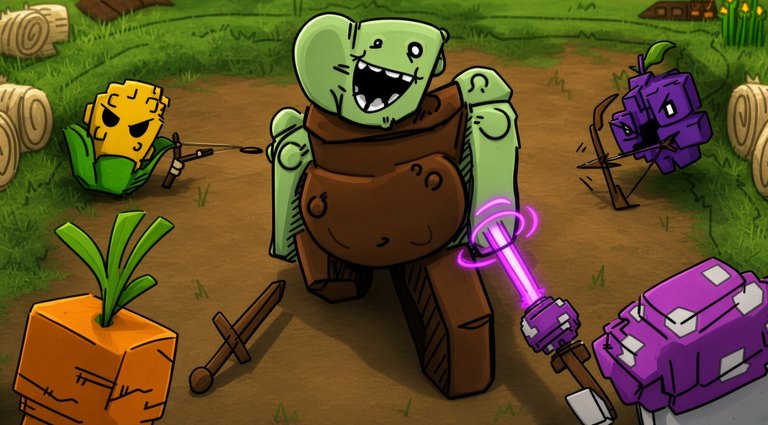
Defend my Ring Farm uses a standard Roblox character plus a left-side tycoon HUD. If you cannot find codes, you are usually in the Roblox pause menu instead of Shop. If you cannot plant, you still have the tutorial tool-tip covering the plot. This page is the button map; getting started is the session plan.
PC keyboard
| Input | Action |
|---|---|
| WASD or arrows | Move your avatar around the ring |
| Space | Jump |
| Left click | Select a HUD button, a plant, or a plot tile |
| Mouse wheel | Camera zoom if the client allows it |
| Esc | Roblox menu — not the code box |
You do not need a custom keybind to redeem codes. Look left, click Shop, scroll down, paste, Redeem. Full steps: how to redeem.
Shift-lock is optional. Some players prefer it to aim the camera along the dirt path when checking coverage. It does not make plants fire faster.
Mobile
| Control | Action |
|---|---|
| Left thumb stick | Move |
| Jump button | Jump |
| Tap Shop | Open the catalogue and code field |
| Drag on Shop | Scroll to the code box and gamepasses |
| Tap a plot / plant | Select, plant, or inspect |
Rotate to landscape. The left column that holds Shop can sit under the like prompt or the jump button in portrait. If Redeem never appears, you have not scrolled far enough — VIP and Wave Speed rows sit above the empty field.
Shop contents you will actually use
From top to bottom you should expect:
- Consumables such as Water, Luck, and Money Potions (also granted by codes).
- Roll / luck offers, including the +100% Luck pass.
- Pace offers: More Drops, x2 Roll Speed, x3 Wave Speed.
- VIP (+50% money, +25% luck, tag).
- Empty code field at the bottom.
Buying a pass is a different confirmation than Redeem. If a Robux prompt opens, you missed the text field. Cancel, scroll again, paste NIGHT or RINGFARM.
Planting and fighting
Select a seed in the hotbar, tap or click an open tile on the ring, and confirm. Melee belongs on the path contact; ranged behind. That is not a control trick, it is the defense rule, but the HUD will happily let you plant a laser beet facing a wall.
Start waves from the farm HUD, not from Esc. Once a wave is live, do not open Shop to roll. Rolling does not pause zombies. If you need luck, drink the potion between waves using the seed guide.
Quality-of-life that is not a keybind
- Group boost: leave the experience, open the Memories Game community, join, come back. There is no in-HUD “15%” toggle; it is account-side. Links are on the wiki links page.
- Like button: Roblox experience like, usually a thumb on the page or a prompt in-session.
- Servers: 5 players. Use Roblox server list if a lobby is full; your farm follows the account.
- Offline: there is no special AFK key. Leave plants on tiles and exit.
Controllers and accessibility
A gamepad can move the avatar and select HUD buttons through Roblox’s default map. Text entry for codes is miserable on a controller — switch to the Roblox app keyboard or redeem on a phone. Colorblind players should still be able to read Shop labels; we do not rely on the purple sword glow as the only signal that a plant is ranged.
If the HUD is gone entirely, rejoin. Tycoon UIs sometimes fail to bind after a teleport. If Shop opens but Redeem stays grey, the tutorial is not finished.
Next pages
Loop: how to play. Spend order: upgrade priority. Plant faces: starter plants.
Frequently Asked Questions
Quick answers for codes, waves, and plant rolls.
Where is the codes button?
There is no separate Codes app. Open Shop on the left and scroll to the empty field at the bottom.
Why does Esc not show codes?
Esc is the Roblox menu. Codes are inside this game’s Shop HUD.
Can I play on mobile?
Yes. Use landscape, tap Shop, paste codes, and plant with taps on ring tiles.
Does shift-lock help combat?
It only helps you look along the path. Plants fight on their own once placed.